 Tiny Eden
Tiny Eden pot menu: reading the plant condition panel
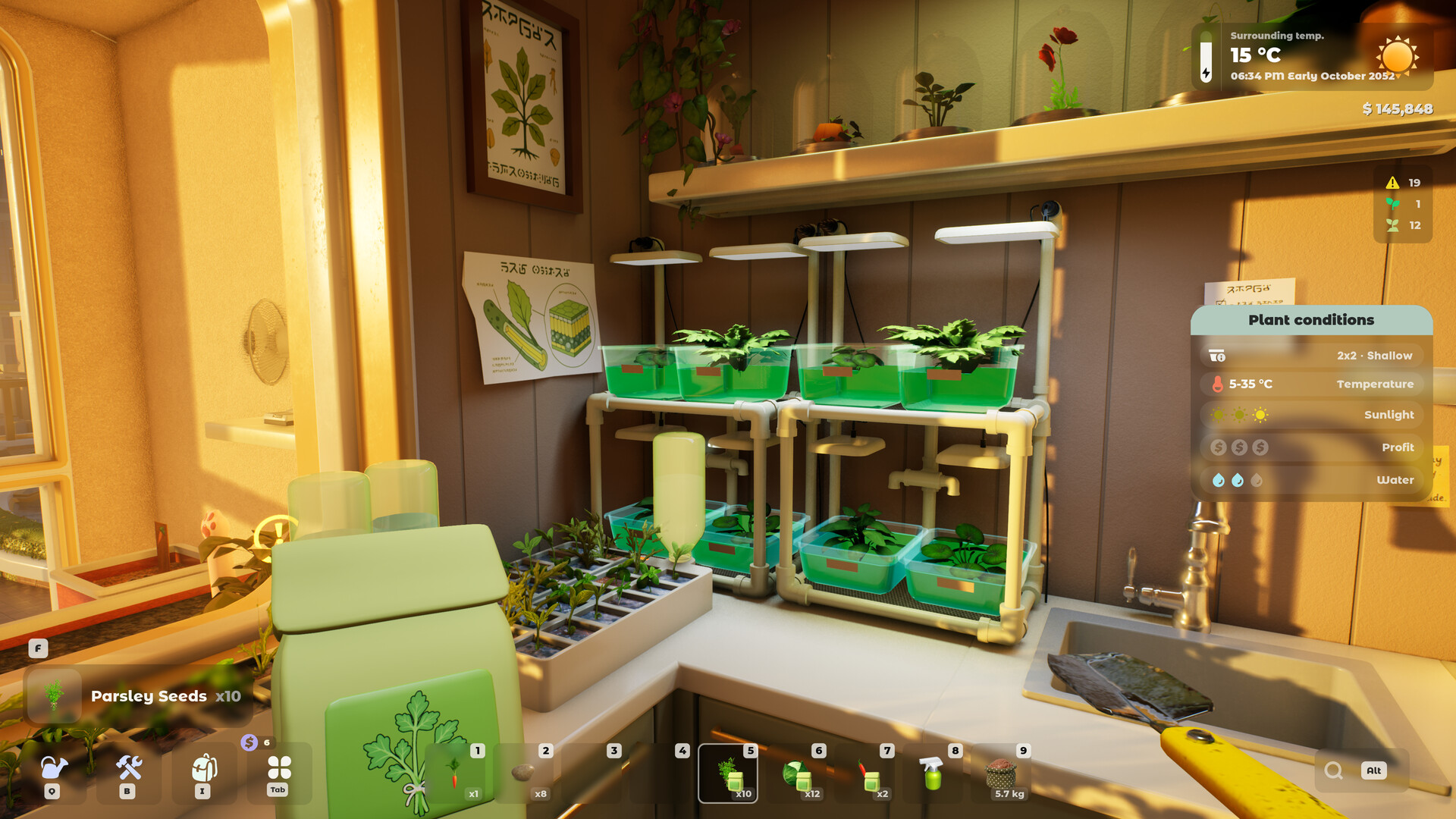
The pot menu in Tiny Eden is the plant condition panel, and it is the main diagnostic screen in the game. Footage from the publisher's own Demo trailer shows it listing planter size and tier, soil type, a temperature band, a light requirement and an income tier, plus an Additional info block carrying a feeder class and a pollination requirement.
What the panel shows
Every row on the panel is a separate condition the plant checks. In the official Demo footage one plant reads a 2x2 planter at a Low tier, Sand soil and a 22-24°C temperature band, with light and income shown alongside.
Because the rows are independent, a plant can be perfectly happy on five of them and still stall on the sixth. The panel is a checklist, not a single health score.
| Row | What it tells you |
|---|---|
| Planter | Size and quality tier of the container |
| Soil | Which soil type the plant is sitting in |
| Temperature | The band the plant wants, shown as a range |
| Sunlight | The light requirement for its position |
| Income | Its earning tier |
| Additional info | Feeder class and pollination requirement |
The Additional info block is the one people miss
Underneath the main rows the panel carries a separate highlighted block. In the Demo footage it shows a feeder classification and a Requires pollination flag.
Those two are easy to overlook because they are not numbers. A heavy feeder will run its soil down faster than a light one, and a plant that needs pollination will not produce without pollinators nearby.
Temperature is a band, not a target
The panel shows temperature as a range. That gives you slack — you are aiming to land inside a window rather than hit an exact value.
Since temperature depends on location and season, and the FAQ orders spaces as indoors warmest, balconies in the middle and rooftops coldest, a band gives you several valid positions rather than one.
A community sheet lists the temperature band and sun rating for about 20 crops, and players' notes on lamps and greenhouses are on the greenhouse page. Which planter each crop goes in is on the planters page.
How to use it as a workflow
Read top to bottom and fix the cheapest thing first. Planter and soil are changes you make at the pot; light and temperature usually mean moving the plant to a different room or balcony.
Only reach for equipment — grow lights, shading nets, heaters, air conditioners — when placement alone cannot get you inside the band.
Keybinds visible alongside it
The same Demo footage shows the game's key prompts in the corner: Q for Tools, Tab for Tablet, I for Inventory, B for Craft, Alt for Details, X for Hints and F for Free hands, with an eight-slot hotbar.
Alt for Details is the relevant one here, since the condition panel is the detail view. That binding comes from pre-release footage and Update #2 reworked gamepad remapping, so confirm it in the shipped build (待确认).
The live tooltip is a second, simpler panel
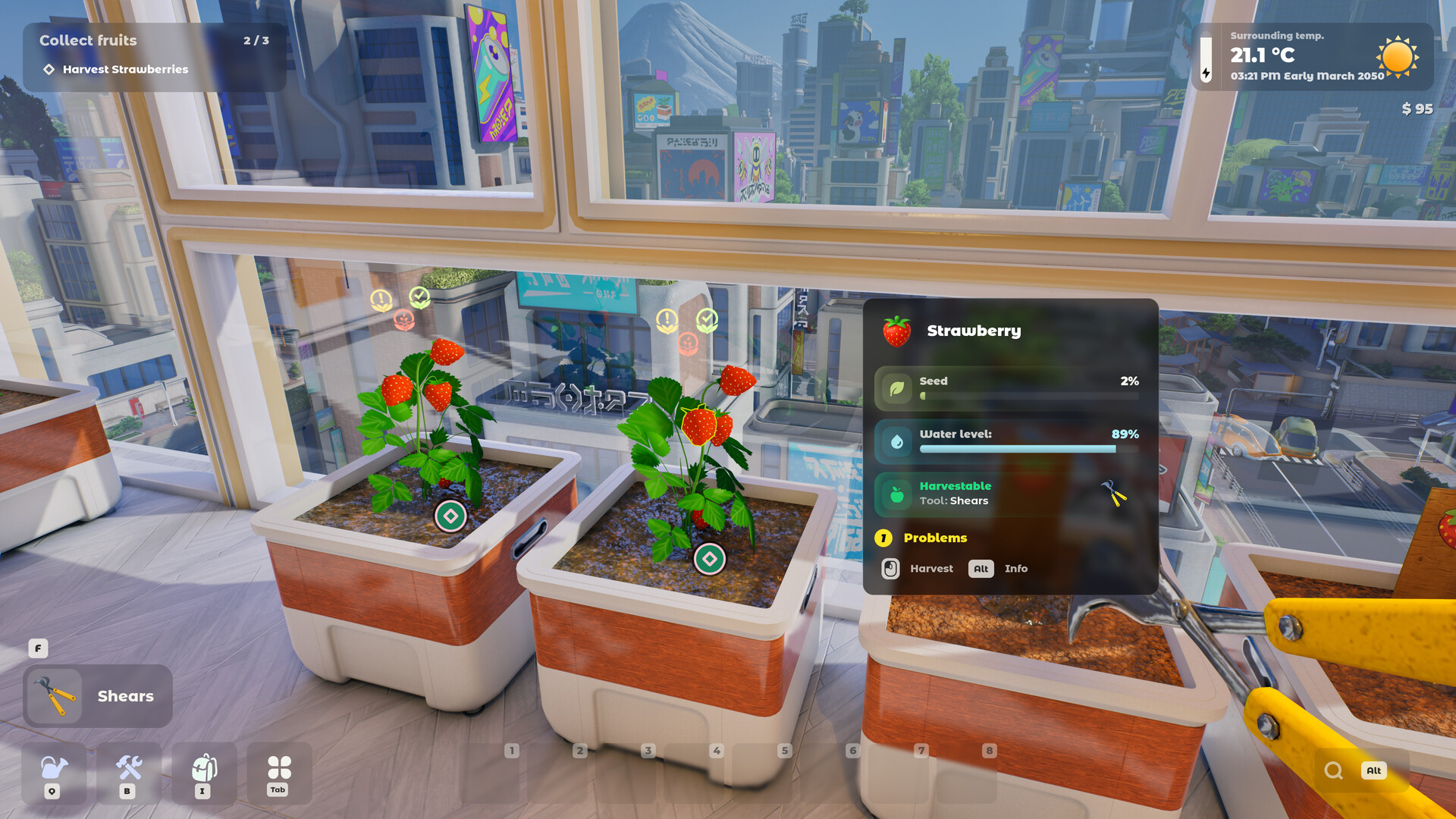
Alongside the full condition panel there is a compact plant tooltip. Official screenshots show it carrying the plant name, seed progress as a percentage, a water level percentage, a harvestable state with the required tool, and a count of problems.
One published shot reads Strawberry, seed 2%, water level 89%, harvestable with shears, one problem. That is the at-a-glance view; the condition panel is the diagnostic one.
The surrounding HUD
The same screenshots show a quest tracker in the top-left and, in the top-right, the surrounding temperature to one decimal place with the in-game clock and date beside it.
One shot reads 03:21 PM, Early March 2050 — which both dates the setting and shows that months are split into early, mid and late periods. Money sits directly underneath.
See it running
Not confirmed yet
- Keybindings shown in the pre-release Demo footage may differ from the shipped 1.0 build.
- The full set of feeder classes and income tiers is not published.
Frequently asked
- What does the pot menu show in Tiny Eden?
- Planter size and tier, soil type, a temperature band, light, income, plus feeder class and pollination in an Additional info block.
- What is a feeder class?
- A classification of how hard a plant draws down soil nutrients. It appears in the Additional info block on the plant panel.
- How do I open the details view?
- The Demo footage showed Alt bound to Details. That footage predates the 1.0 release, and Update #2 changed gamepad remapping, so check the in-game controls (待确认).
Sources
Every fact here is drawn from the official sources above. Points the developers have not confirmed are marked as not confirmed rather than guessed.